Anouncement

Anouncement
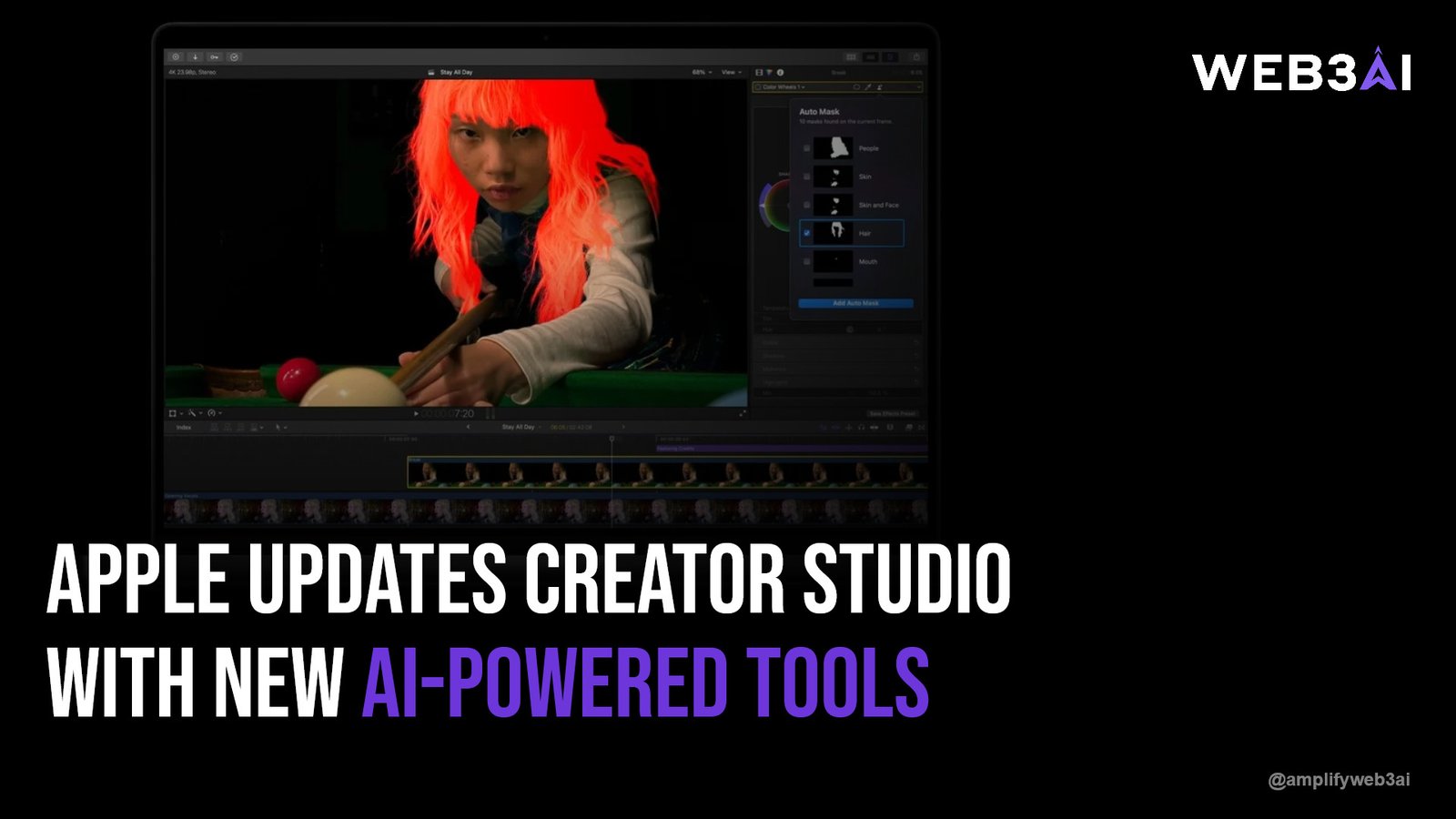

Apple Creator Studio AI tools just got a significant upgrade, and if you create content for Apple Podcasts, Apple Music, or any Apple platform, this update is worth your full attention. Apple has rolled out a suite of new artificial intelligence features inside Creator Studio, the company’s dedicated hub for publishers and media creators. These tools are designed to reduce the manual grind of content production — from writing episode descriptions to generating promotional assets — so you can spend more time on what actually matters: making great content.
The timing is no accident. As platforms compete fiercely for creator loyalty, Apple is making a clear statement that it wants to be the most intelligent and frictionless publishing environment available. According to TechCrunch’s 2025 coverage of AI in media tools, AI-assisted content workflows are becoming a baseline expectation rather than a luxury feature, with major platforms racing to embed smarter automation directly into their creator dashboards.
Whether you manage a podcast network, release music, or distribute video content through Apple’s ecosystem, these new AI-powered capabilities could fundamentally change how you publish. In this post, we break down exactly what Apple updated, why it matters, and how you can start using these tools to your advantage today.
The headline additions to Apple Creator Studio center on AI-generated metadata and promotional copy. Creators can now use an AI assistant to automatically generate episode titles, show descriptions, and chapter summaries directly inside the dashboard. Instead of staring at a blank text field after a long recording session, the tool analyzes your uploaded content and drafts ready-to-publish copy in seconds.
Apple has also introduced AI-powered image and artwork suggestions tailored to your existing brand identity. The system reads your cover art, color palette, and past promotional materials, then recommends visual assets that maintain consistency across your catalog. For independent creators who don’t have a design team, this is a genuine game-changer.
Another notable addition is smart caption generation. Creators uploading video or audio content can now receive auto-generated captions with improved accuracy compared to previous iterations, with the option to edit and refine before publishing. Apple has positioned this as both an accessibility improvement and a discoverability boost, since captioned content is indexed more effectively across search surfaces.
Pro Tip: Use Apple’s AI-generated episode descriptions as a first draft, then layer in your own voice and specific keywords. The AI handles structure; you add personality and SEO.
If you want to understand the broader context of why AI tools like these are reshaping the media landscape, our deep dive into how AI is transforming content creation walks through the bigger picture in detail.
Podcasters stand to benefit the most from this update. The traditional podcast publishing workflow involves recording, editing, writing show notes, creating timestamps, designing artwork, scheduling, and then distributing — all before a single listener hits play. Apple’s new AI layer compresses several of those steps into a single assisted workflow inside Creator Studio.
The AI-generated chapter markers feature is particularly useful for long-form content. Creators can upload an episode and receive a suggested chapter structure based on topic shifts detected in the audio. This makes navigating lengthy episodes far easier for listeners, which directly improves completion rates and engagement metrics — two signals that influence algorithmic placement inside Apple Podcasts.
Apple also updated its promotional toolkit, giving podcasters AI-generated social media cards and audiogram suggestions. These pull key moments from episodes and package them into shareable visual formats automatically. For solo creators without a production team, this alone could save several hours per episode cycle.
Pro Tip: Enable chapter markers on every episode — Apple Podcasts surfaces chapters as interactive navigation in the player, making your content feel more professional and increasing listener retention.
This Creator Studio update doesn’t exist in isolation. It’s part of Apple’s accelerating push to embed AI intelligence — what the company brands as Apple Intelligence — across its entire product and platform ecosystem. From writing tools in iOS to image generation in Photos, Apple is systematically making AI a behind-the-scenes collaborator in everything its users and creators do.
For platform creators, this matters because Apple isn’t just building consumer AI features. It’s building infrastructure that makes Apple’s platforms stickier for the people who publish on them. When your entire creative workflow lives inside Creator Studio, and that studio gets smarter every quarter, there’s a natural incentive to deepen your investment in Apple’s ecosystem rather than distribute across fragmented alternatives.
The intersection of AI tools and the creator economy is also where Web3 infrastructure becomes increasingly relevant. Ownership, monetization, and audience relationships are evolving in parallel with AI-powered production tools. Our piece on Web3 and the creator economy explores how decentralized models complement — and sometimes challenge — the platform-native approach Apple is taking here.
Here’s a quick breakdown of the new and updated features Apple rolled out in this Creator Studio release:
Accessing the updated features is straightforward for anyone already publishing through Apple’s ecosystem. Here’s a step-by-step overview of how to activate and use the AI-powered tools:
The learning curve is minimal by design. Apple has embedded these tools directly into existing workflows rather than creating a separate AI module, meaning the upgrade feels like a natural extension of what creators already do rather than an entirely new system to learn.
For creators thinking about how AI fits into a longer-term marketing strategy, our overview of the future of AI-powered marketing covers the strategic implications well beyond platform-specific tools.
One of the most important dimensions of this update is what it means for the gap between independent creators and large media networks. Historically, big podcast networks and music labels have had dedicated teams handling metadata, SEO optimization, captioning, and promotional asset creation. Independent creators have had to either do all of this manually or hire help they often can’t afford.
Apple Creator Studio’s AI tools effectively level that playing field. A solo podcaster recording in their spare room now has access to the same quality of metadata generation and promotional support that a full production team provides. That’s not a small shift — it’s a structural change in who can compete for audience attention at a professional level.
For large networks, the benefit is efficiency rather than access. Teams that previously spent hours on per-episode metadata can now produce that work in minutes, freeing up bandwidth for higher-order creative and strategic decisions. Either way, the update rewards those who use it thoughtfully over those who ignore it.
The updated Apple Creator Studio AI tools include AI-generated episode descriptions, smart chapter markers, automated captions, artwork suggestions, and a social media card generator. These features are designed to help creators publish faster and more consistently by automating repetitive metadata and promotional tasks. They are built directly into the existing Creator Studio dashboard, so no separate tool or subscription is required.
The new features are rolling out to creators publishing through Apple Podcasts and Apple Music for Artists. Access may be gradual depending on your account region and content type. If you don’t see the AI Assist options yet, check for platform updates within your Creator Studio dashboard, as Apple typically stages these rollouts over several weeks.
Apple’s AI-generated content is notably strong for structure and format, though it benefits from human editing for tone, brand voice, and keyword optimization. Captions have improved significantly in accuracy compared to earlier versions, particularly for clear audio. Treat all AI-generated outputs as high-quality first drafts rather than publish-ready final copy.
Yes. AI-generated chapters, captions, and optimized descriptions all contribute positively to how Apple Podcasts indexes and surfaces your content. Better structured metadata helps the platform recommend your episodes to relevant listeners. Captions in particular increase the amount of text available for indexing, which can improve search placement within the app.
Third-party tools like Descript, Podcastle, and Riverside.fm offer some overlapping features, but Apple Creator Studio’s AI tools are natively integrated with Apple’s distribution and analytics infrastructure. This means the AI has access to your audience data and platform context in a way that external tools don’t. For creators primarily distributing on Apple Podcasts, the native toolset will generally be the most seamless option.
Apple Creator Studio AI tools represent a meaningful step forward for every creator publishing within Apple’s ecosystem. By embedding AI assistance directly into the publishing workflow — across metadata, captions, artwork, and promotional assets — Apple has made professional-quality content production accessible to creators at every level. The update reduces friction, saves time, and raises the baseline for what’s expected from well-produced content in 2025.
The broader signal here is clear: AI-native publishing tools are no longer optional extras. They are becoming the standard infrastructure for competitive content distribution. Creators who adopt these tools early and use them thoughtfully will have a measurable advantage in discoverability, consistency, and production efficiency over those who don’t.
If you’re thinking about how AI fits into your full content and marketing strategy — beyond any single platform — this is exactly the kind of evolution we build for at ATTN.LIVE. Explore what we have built at attn.live.