Anouncement

Anouncement

Hidden in Plain Sight: The AI You Already Use
If you asked someone in 2010 what “Artificial Intelligence” looked like, they might have described a shiny silver robot from a movie or a giant supercomputer in a dark room. Fast forward to 2026, and the reality is much quieter, much more helpful, and currently sitting in your pocket.
For the rest of us—students, parents, and workers—AI isn’t about complex math; it’s about pure convenience. If you’ve ever searched your gallery for “dog on a beach” or had your battery miraculously last all day, you aren’t just a casual user. You are an AI Power User. In this guide, we’ll peel back the curtain to show you how much of a tech genius you’ve secretly become.
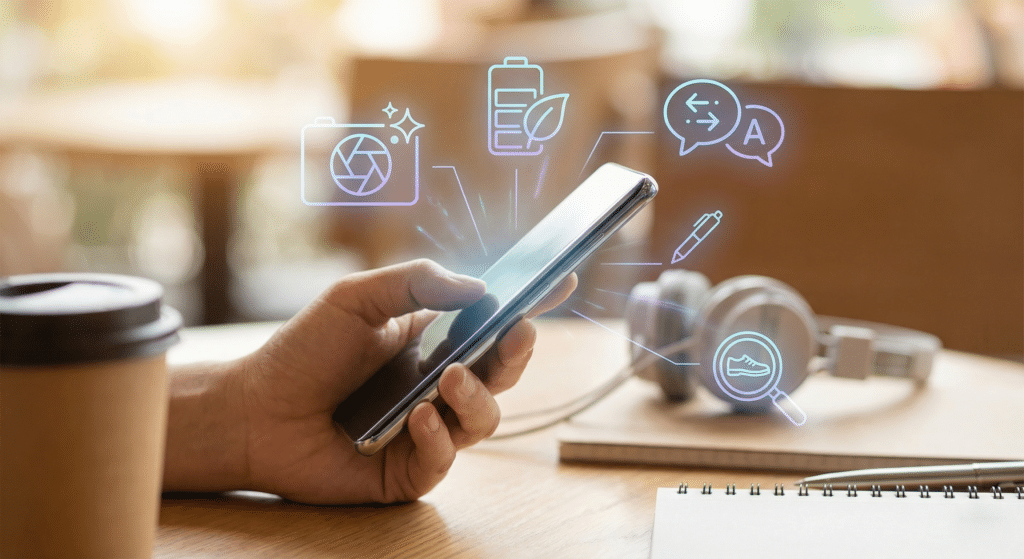
Remember when taking a “professional” photo required a $2,000 camera and hours of editing in a dark room or on a laptop? Today, your smartphone produces stunning images that rival professional gear. This isn’t just because the glass on your camera lens got better; it’s because of Computational Photography.
When you tap the shutter button, your phone doesn’t just take one picture. It actually captures a “burst” of up to 15 frames in a fraction of a second. AI then analyzes every single pixel across those frames. It picks the sharpest eyes from frame three, the best lighting from the background of frame seven, and the most accurate colors from frame ten. It “stitches” them into one “perfect” image before you even see the preview.
One of the biggest frustrations of modern life is the “low battery” warning. However, phones in 2026 last significantly longer than they did five years ago. This is thanks to Adaptive Intelligence.
Your phone’s AI is a silent observer. It learns your “Digital Body Language.” It knows that you check your emails at 8:00 AM, but you never touch your banking app until Friday. It knows you use GPS to get to work, but once you’re there, you mostly use Wi-Fi.
Instead of keeping every app ready to run at 100% power all day, the AI “freezes” the apps you aren’t likely to use. It directs the most power to the tools you need right now. By predicting your behavior, the AI extends your battery life by hours. You didn’t have to “tune” your phone; the phone tuned itself to you. That is the definition of a power user.
In the past, traveling to a country where you didn’t speak the language meant carrying a heavy dictionary or frantically typing into a translator while someone waited for you to finish. In 2026, AI has made the world feel much smaller.
We’ve all been there: staring at a blank screen, trying to figure out how to write a polite email to a boss or a funny caption for a photo. AI writing assistants are now integrated directly into our keyboards.
Old “autocorrect” was often more annoying than helpful. Modern AI Writing Assist understands context.
When you tap that suggested reply, you are collaborating with a Large Language Model (LLM). You are essentially the “Editor-in-Chief” of your own personal AI writing team.
Searching for information used to require knowing the right “keywords.” But what if you don’t know the name of what you’re looking for?
In 2026, “searching” has become “finding.” If you see a cool pair of shoes in a video, or a beautiful plant in a park, you don’t need to describe them to a search engine. You simply circle them on your screen. The AI analyzes the shape, texture, and brand markers to tell you exactly what it is.
Think about your photo gallery. You likely have thousands of pictures. If you type “cat,” “beach,” or “receipt” into your photo search bar, your phone finds them instantly. The AI isn’t looking at filenames; it has “seen” every photo and categorized them for you. This is Computer Vision, and using it saves you hours of scrolling.
| If you want to… | The Frustrating “Old Way” | Your AI “Power User” Shortcut |
| Take a group photo | Taking 20 shots and hoping nobody blinked. | Best Take: AI swaps faces from your burst shots so everyone is smiling. |
| Clean up a photo | Learning Photoshop to remove a stranger in the background. | Magic Eraser: Just tap the person and they vanish instantly. |
| Send a work email | Staring at a blank screen wondering how to sound “professional.” | Help Me Write: Type a rough idea and let AI polish the tone for you. |
| Find a specific memory | Scrolling for 10 minutes to find “that one photo of a sunset.” | Natural Search: Just type “purple sunset” or “beach trip” to find it in seconds. |
| Understand a sign | Typing foreign words into a translator one by one. | Visual Translate: Point your camera and see the English text “stuck” to the sign. |
| Manage your day | Manually closing apps to stop your battery from dying. | Adaptive Battery: Your phone learns your routine and saves power for you. |
Want to see just how much of an AI pro you are? Take three minutes to check these settings on your phone right now:
In 2026, most of this “learning” happens On-Device. This means the AI doesn’t send your photos or texts to a giant server in another country; it processes the information right on your phone’s chip. Your data stays yours.
Think of AI like a bicycle. A bicycle doesn’t walk for you; it just makes you go faster with the same amount of effort. AI doesn’t do the “living” for you; it just removes the boring chores so you can focus on what matters.
The shift from a “regular user” to an “AI power user” isn’t about learning to code or buying a $10,000 computer. It’s about a mindset shift. It’s the realization that your device is no longer just a “phone”—it’s a collaborative partner that learns from you.
By embracing these invisible tools, you are already operating at a level of efficiency that was impossible just a decade ago. AI isn’t a scary future concept; it’s the clear photo of your kids, the battery that lasts all night, and the email that sounds just right.
You’ve been a power user this whole time. Isn’t it time you started acting like one?